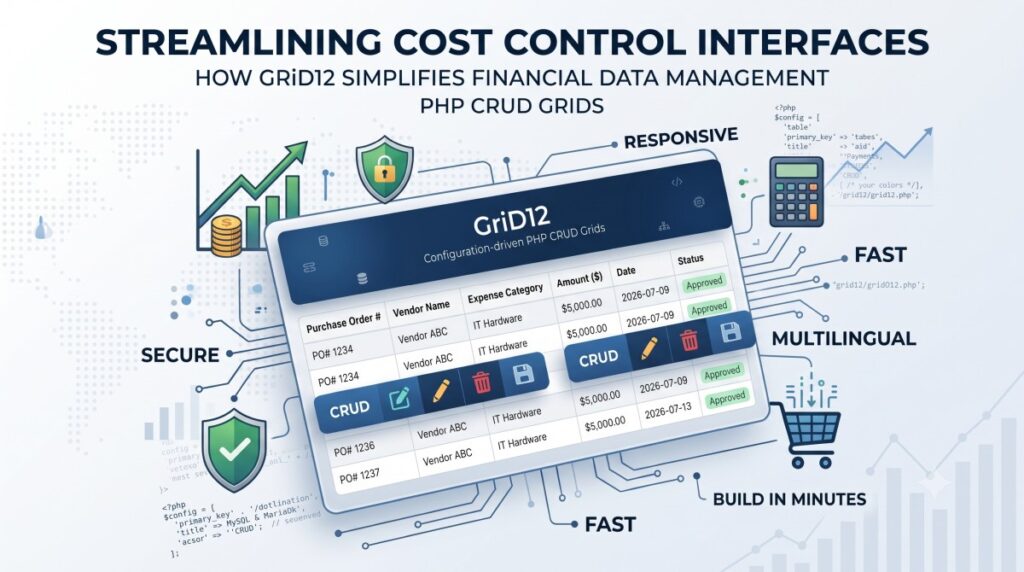
When managing budgeting tools and cost control software, data integrity, security, and clear reporting are non-negotiable. Developers and financial managers constantly need to view, filter, and edit thousands of line items—from supplier payments and departmental budgets to asset tracking logs.
Building these backend database screens from scratch, however, can swallow dozens of hours of repetitive coding. That is where GriD12 comes in.
GriD12 is a lightweight, configuration-driven PHP framework designed to turn any MySQL or MariaDB table into a secure, responsive, and fully functional CRUD (Create, Read, Update, Delete) grid in minutes. If you are developing internal tools for cost tracking or looking to expand your expense management system, here is how GriD12 can accelerate your workflow.
The Challenge of Financial Data Administration
Managing financial records requires more than just a basic database view. Teams handling cost control tasks need specific functionalities to do their jobs effectively:
- Advanced Filtering: Sorting through supplier lookups, specific date ranges, and exact budget caps.
- Calculated Fields: Real-time visibility into calculations, such as multiplying unit price by quantity on the fly.
- Flawless Security: Ensuring that financial entries are protected against malicious injections or cross-site scripting.
Instead of writing custom boilerplate code for every new transaction or expense table, GriD12 allows developers to declare a configuration array and instantly deploy polished interface screens.
Key Features Built for Cost Control and Budgeting
1. Enterprise-Grade Security out of the Box
Financial apps are prime targets for security exploits. GriD12 treats security as a default foundation rather than an afterthought. Every data value is automatically handled through PDO prepared statements to prevent SQL injection. Additionally, table and column names are strictly whitelisted against your live database schema, forms are shielded with CSRF tokens, and all terminal output is escaped to neutralize XSS vulnerabilities.
2. Multi-Currency and Multilingual Readiness
Global businesses operate across different languages and regional formatting rules. GriD12 natively ships in six languages—English, Greek, German, Spanish, French, and Italian—complete with localized month names and number formats. This makes presenting localized budget summaries to international stakeholder teams incredibly seamless.
3. Master-Detail Forms for Complex Tracking
Budgeting often requires viewing a parent record alongside multiple connected line items—for example, a single purchase order tied to multiple individual inventory expenses. GriD12 supports master-detail forms, allowing complex parent-child relations to be edited together and saved cleanly under a single database transaction.
4. Grouped Summaries and Computed Columns
For effective cost control, you need to see totals and subtotals instantly. GriD12 easily renders grouped summaries (such as rows grouped by a specific vendor with collapsible sections) and computes fields on the fly, saving developers from writing complex SQL aggregation scripts manually.
How It Works: Define, Include, Run
GriD12 keeps the implementation workflow deliberately straightforward, moving from an empty file to a working data grid in just three rapid steps:
Step 1: Point It at Your Database
Set up your database connection details once in your central configuration file. GriD12 reads your table structure directly from MySQL or MariaDB, meaning your user interface always stays perfectly synced with your underlying schema.
Step 2: Describe Your Grid
Create a short PHP configuration array mapping out exactly how you want your data to behave. For example, a basic expense log setup might look like this:
PHP
<?php
$config = [
    'table'       => 'payments',
    'primary_key' => 'aid',
    'title'       => 'Supplier Payments',
    'permissions' => 'CRUD',
    'columns'     => [ /* Define your specific columns, lookups, and types */ ],
];
include __DIR__ . '/grid12/grid12.php';
Step 3: Include and Run
Load the page in your browser. You will instantly be greeted by a modern, fully responsive Bootstrap 5 user interface optimized for desktops, tablets, and smartphones. Users can immediately filter, sort, paginate, and even export data directly to CSV or PDF documents.
Tailored Tiers for Every Stage of Growth
GriD12 is built to scale alongside your administrative requirements, offering various tiers depending on your project’s scope:
- Free Edition: Perfect for analytical reporting, offering robust read-only grids complete with per-column search, sorting, pagination, and foreign-key lookups.
- Basic & Professional Tiers: Unlocks full write permissions (Create, Update, Delete), CSV/PDF exporting, conditional formatting, a rich text WYSIWYG editor, and advanced master-detail layouts.
- Ultimate Edition: Designed for intensive software environments, adding complete white-label capabilities and OEM redistribution options.
Note: Regardless of the tier you choose, the underlying source code remains completely readable and unencrypted. There is no obfuscation or vendor lock-in, meaning your development team retains complete control over your codebase.
Final Thoughts
When managing cost control tasks, your engineering team’s time is best spent optimizing financial logic and budgeting algorithms—not fighting with repetitive table UI code. By utilizing a configuration-driven framework like GriD12, you can roll out highly secure, beautiful, and localized data administration screens in a fraction of the time.
See more for GriD12 here